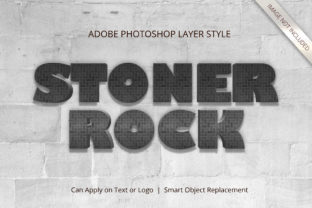
Photoshop Stone Rock Soil Layer Style for 3D Text
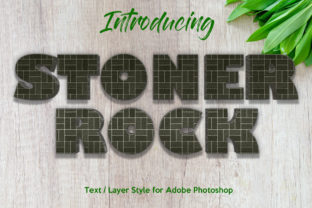
Creating professional-looking designs often feels like a steep learning curve, especially when you want to add depth and texture to your work. Photoshop Stone Rock Soil Layer Style changes that dynamic completely. It is a specialized set of tools designed to transform flat text and shapes into realistic, three-dimensional objects that look like they are carved from natural stone or embedded in soil. This approach brings a tactile quality to digital graphics, making headlines pop and logos feel grounded and substantial.
The primary appeal of this style lies in its ability to mimic nature without requiring complex sculpting skills. Whether you are designing a poster for a hiking event, a logo for an outdoor gear brand, or a dramatic title for a video game, the stone and soil aesthetic adds an immediate sense of weight and permanence. It bridges the gap between simple typography and high-end graphic design, offering a rugged, organic look that stands out in a sea of flat colors and standard fonts.
Why Choose the Stone and Soil Aesthetic?
In the world of visual communication, texture tells a story before a single word is read. The Stone Rock Soil Layer Style leverages the human brain's association with physical materials to create trust and impact. Stone implies durability, history, and strength, while soil suggests growth, earthiness, and stability. When combined with a 3D effect, these elements create a visual hierarchy that draws the eye immediately.
This style is particularly effective for projects that need to convey solidity. Imagine a headline for a real estate development about luxury homes built on solid ground, or a banner for a rock climbing competition. The 3D transformation makes the text feel as though it is part of the environment rather than just sitting on top of it. It solves the common problem of "flat" designs that fail to capture attention in crowded digital spaces.
No Technical Skills Required
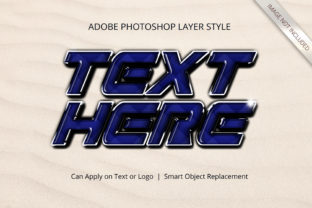
One of the most significant barriers to creating 3D effects is the fear of technical complexity. Traditional methods often involve hours of layer manipulation, manual shading, and advanced knowledge of lighting engines. However, this specific Photoshop resource eliminates those hurdles entirely. There is no requirement of skills to transform your design into 3D; everything works just with smart object replacement.
This means you do not need to be a digital artist to achieve professional results. The process is streamlined so that anyone can swap their text or shape, and the software automatically applies the stone texture, the rock cracks, and the soil shadows. It democratizes high-quality design, allowing beginners to produce work that looks like it was created by a seasoned expert.
How the Smart Object System Works
The core technology behind this design suite is the use of Smart Objects. In Photoshop, a Smart Object is a container that holds image data from raster or vector sources. When you use the Stone Rock Soil Layer Style, your text or shape becomes a Smart Object linked to a pre-configured layer group.
Here is how it simplifies your workflow:
- Double-Click to Edit: Instead of manually adjusting hundreds of layers, you simply double-click the icon next to your layer name.
- Replace Content: Open the source file, type your new text or place a new shape, and save it.
- Automatic Update: Return to your main document, and the 3D stone effect instantly updates to fit your new content perfectly.
This method ensures that every time you change the text, the lighting, shadows, and textures adjust automatically. You never have to worry about breaking the alignment or losing the 3D perspective. It is a foolproof system designed for efficiency and consistency.
Real-World Applications for Creatives and Businesses
The versatility of this tool makes it suitable for a wide range of contexts. Because it is Excellent For All Text and Shapes, you are not limited to just words. You can apply the effect to icons, symbols, or entire illustrations.
For Marketers and Entrepreneurs: If you run a small business selling artisanal goods, coffee, or outdoor equipment, this style adds a premium touch to your packaging and social media ads. The High Resolution - 300 DPI specification ensures that your print materials look crisp and detailed, whether they are business cards or large banners.
For Educators and Bloggers: Creating engaging educational content often requires visuals that grab attention. Using a 3D stone effect for chapter titles or key concepts can make your blog posts or presentation slides more memorable. It breaks up the monotony of plain text and keeps readers engaged longer.
For Hobbyists and Freelancers: If you are looking to expand your portfolio without spending months learning complex 3D modeling software, this is the perfect shortcut. You can quickly generate mockups for clients who want a rugged, natural aesthetic. The Well Organized Layers mean you can easily tweak individual elements if you decide to deviate from the preset look later.
Versatility Across Styles
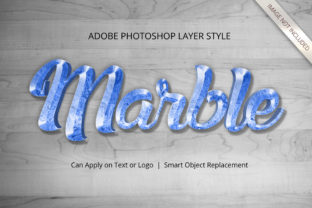
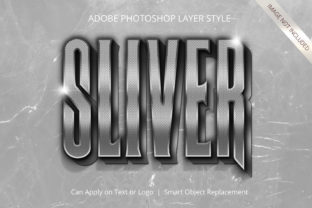
While the name suggests a specific rocky theme, the underlying structure is Very Versatile Suitable For Many Styles. The stone texture provides a neutral, high-contrast base that can be tinted or modified to match different color palettes. You can make it look like ancient ruins, modern concrete, or even polished granite. This flexibility allows you to maintain a consistent brand identity across various campaigns while still having fresh, unique visuals.
Key Features That Drive Quality
When selecting a design asset, quality is paramount. This resource stands out because it prioritizes detail and usability. The 100 Editable nature of the files means you have full control over the final output. You are not stuck with a static image; you can refine the lighting angles, adjust the roughness of the soil, or change the font size without degrading the image quality.
The Easy To Change interface is another critical factor. In fast-paced creative environments, time is money. Being able to swap out a client's name or a campaign slogan in seconds allows you to meet tight deadlines without sacrificing quality. Furthermore, the High Resolution - 300 DPI standard guarantees that your work will look sharp on both screens and printed materials, avoiding the pixelation that often plagues amateur designs.
Considerations Before You Start
Before diving in, it is helpful to understand the best practices for using this style. While the tool handles the heavy lifting, your choice of font plays a crucial role in the final result. Bold, blocky fonts tend to work best with the stone texture, as they provide enough surface area for the cracks and shadows to show. Thin, delicate scripts might get lost in the rugged details of the rock effect.
Additionally, consider the context of your audience. The stone and soil look is powerful but specific. It conveys strength and nature, which is perfect for many industries but might feel out of place for a project requiring a sleek, futuristic, or minimalist vibe. Always ensure the texture supports the message you are trying to communicate.
Finally, remember that while the tool removes the need for technical skill, good design principles still apply. Pay attention to spacing, contrast, and color harmony. Even with a No Skill Requirement tool, the final success of your design depends on how well you integrate it into your overall composition. Use the Well Organized Layers to experiment with blending modes and opacity to find the perfect balance between the text and the background.
Ultimately, transforming your design into 3D should be an empowering experience, not a frustrating one. With Photoshop Stone Rock Soil Layer Style, you gain access to a professional-grade toolkit that respects your time and enhances your creativity. Whether you are a beginner taking your first steps into graphic design or a pro looking to speed up your workflow, this resource offers a reliable path to stunning, textured results.