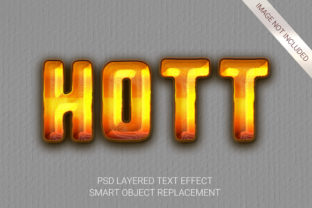
Adobe Photoshop Text Effect: Instant 3D Designs
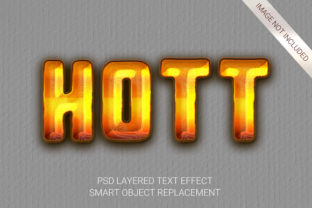
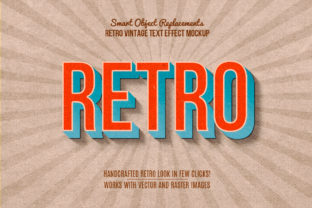
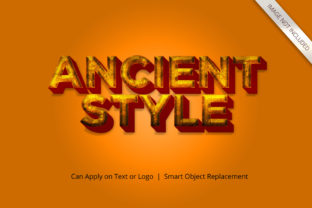
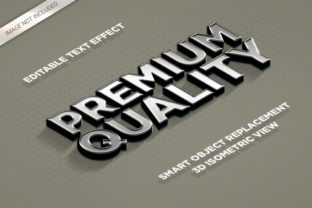
Transforming flat, two-dimensional words into stunning three-dimensional masterpieces used to require hours of manual layer manipulation and a deep understanding of complex blending modes. Today, that process has been revolutionized by tools like the 10 3D Text Effects - Element Style package. This collection is designed specifically for Adobe Photoshop CS4 or higher, allowing anyone to change text into 3D with professional precision. Whether you are a seasoned graphic designer looking to speed up your workflow or a small business owner creating social media graphics, these effects remove the technical barriers while delivering high-quality results.
The Power of Smart Object Technology
At the heart of this incredible utility lies the concept of Smart Objects. Traditionally, applying 3D effects in Photoshop required a steep learning curve. You had to manually adjust lighting, extrusion depth, bevels, and shadows for every single word. The 10 3D Text Effects - Element Style package simplifies this entirely. There is no requirement of skills to transform your design into 3D because everything works just with smart object replacement.
This means you do not need to know how to model geometry or tweak light sources. Instead, you simply replace the placeholder text within the smart object, and the entire effect updates instantly. It is a seamless integration that keeps your files editable and non-destructive. If you decide later that you want to change the font size, color, or even the message itself, the 3D structure remains intact and perfectly rendered. This flexibility ensures that your creative vision can evolve without the fear of breaking the design.
Why Choose These Professional Styles?
When evaluating an asset pack, quality is paramount. These effects are created with high-quality professional and very detailed standards. Each style is crafted to look realistic, featuring intricate textures, dynamic lighting, and depth that captures attention immediately. The package includes 10 Different Styles, ensuring you have a diverse range of options to match any project theme, from sleek corporate branding to vibrant party invitations.
- High Resolution: Every file is delivered at High Resolution and 300 DPI, making them perfect for both digital screens and high-quality print materials like business cards, posters, and banners.
- Well Organized Layers: Complexity often leads to messy files, but these assets feature Well Organized Layers. This organization makes it easy to locate specific elements if you need to make minor adjustments beyond the standard text changes.
- 100 Editable: With 100 Editable components across the suite, you have endless possibilities to customize the look and feel of your typography.
The versatility of these tools cannot be overstated. They are Excellent For All Text and Shapes, meaning you aren't limited to simple headlines. You can apply these effects to bullet points, logos, or even custom vector shapes. Because they are Very Versatile Suitable For Many Styles, you can adapt them to fit modern minimalism, retro aesthetics, or futuristic designs with equal ease.
Practical Applications for Creators and Businesses
Who benefits most from using the Adobe Photoshop Text Effect capabilities found in this package? The answer is almost everyone in the digital creative space. For beginners and casual users, the No Skill Requirement aspect is a game-changer. It allows individuals who may not have formal training in graphic design to produce work that looks professionally made.
Consider a freelance marketer working on a campaign for a new product launch. They need eye-catching visuals quickly to meet tight deadlines. By using these pre-made 3D styles, they can create impactful ad copy that stands out on Instagram or Facebook feeds without spending days rendering images. Similarly, small business owners can use these effects to enhance their website headers or email newsletters, adding a layer of sophistication that builds trust with their audience.
For educators and bloggers, visual engagement is key to retaining readers. A blog post about "Top Design Trends" becomes much more engaging when the title features a polished 3D element. Even entrepreneurs launching a startup can utilize these tools to create pitch deck slides that impress investors, demonstrating a commitment to high-quality presentation.
How to Get Started Without the Learning Curve
One of the most appealing features of this package is its simplicity. The workflow is designed to be intuitive. You open the file in Photoshop, locate the smart object layer, double-click to edit your text, save, and watch as the 3D magic happens automatically. The E-E-A-T principles (Experience, Expertise, Authoritativeness, and Trustworthiness) suggest that tools which empower users to achieve expert-level results are highly valuable. This package delivers exactly that.
There are important things to consider before diving in. First, ensure your version of Adobe Photoshop is CS4 or Higher to guarantee compatibility with the smart object functions. Second, while the effects are powerful, remember that they are meant to support your content, not overshadow it. Use the Easy To Change features to experiment with different colors and fonts until you find the perfect balance between style and readability.
Maximizing Value in Your Workflow
In the fast-paced world of digital content creation, time is money. The ability to transform your design into 3D in seconds rather than hours translates directly to increased productivity. The 10 3D Text Effects - Element Style package acts as a force multiplier for your creativity. Instead of staring at a blank canvas wondering how to make text pop, you have a library of proven solutions ready to go.
Furthermore, the high resolution and detailed construction mean you don't have to worry about pixelation when scaling your designs up for large format printing. The Smart Object Replacement feature ensures that your original intent is preserved, allowing for rapid iteration. You can test multiple variations of a headline for an A/B test in minutes, analyzing which 3D style resonates best with your audience.
Ultimately, whether you are a hobbyist exploring digital art or a professional managing a brand's visual identity, these tools bridge the gap between imagination and execution. They democratize high-end design techniques, making them accessible to all. By leveraging the power of the Adobe Photoshop Text Effect through this specialized package, you ensure that your projects always look polished, professional, and ready for the world.
Don't let technical limitations hold back your creativity. With 10 Different Styles and a user-friendly interface, you have everything you need to elevate your typography game. Embrace the efficiency, enjoy the artistic freedom, and watch your designs come to life in three dimensions.