PSD Photo Mask Collage 4: A Textured Grid for Modern Storytelling
In the world of digital design, creating a layout that feels both curated and authentic is often the hardest balance to strike. We have all seen grids that look too rigid or collages that appear chaotic and messy. PSD Photo Mask Collage 4 offers a sophisticated middle ground, providing a structured framework that allows your personal narratives to breathe while maintaining professional polish. This template is not just a collection of shapes; it is a visual strategy designed to elevate how we present memories, whether for a high-end wedding portfolio or a cherished family history.
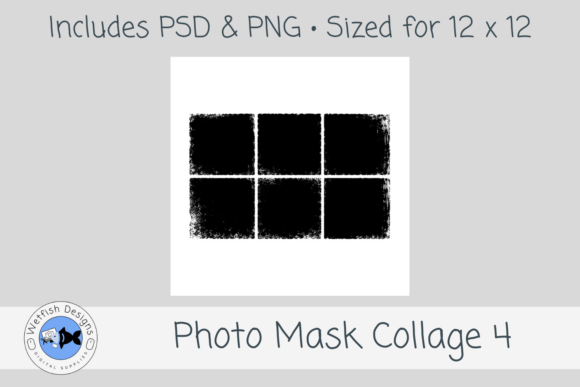
The core appeal of this asset lies in its specific geometry and textural depth. It features six distressed rectangular photo spots arranged in a clean 2 x 3 grid. Unlike standard square crops that can feel sterile, these rectangles offer a dynamic aspect ratio that guides the eye naturally across the page. The defining characteristic, however, is the textured, worn edges. These distressed borders create an artistic masked effect, instantly injecting a sense of nostalgia and tactile quality into digital files. It mimics the feeling of holding a physical scrapbook page, bridging the gap between screen-based viewing and traditional memory keeping.
Visual Personality and Design Appeal
When evaluating design assets, we must consider the "personality" they bring to a project. PSD Photo Mask Collage 4 exudes a vintage-modern aesthetic. It avoids the overly polished, glossy look of stock photography in favor of something grittier and more organic. The distressed edges suggest age and experience, making it particularly effective for themes involving heritage, travel, and long-term relationships. This style works exceptionally well because it humanizes the content; it signals to the viewer that these are real moments captured in real life, not just staged marketing images.
The 12 x 12 inch size is the industry standard for scrapbooking and photo book layouts, ensuring compatibility with most printing services and digital framing tools. At 300 dpi quality, the resolution is sufficient for high-quality commercial prints without pixelation. The inclusion of both PSD and PNG files adds significant versatility. The layered PSD file allows designers to manipulate individual elements, adjust blending modes, and apply custom textures directly within Photoshop. Meanwhile, the included PNG mask provides a quick solution for users who need to clip photos without navigating complex layer structures. This dual-format approach respects the workflow of both technical experts and casual hobbyists.
Strategic Applications Across Creative Industries
The utility of this collage extends far beyond simple hobbyist projects. For entrepreneurs and small business owners, PSD Photo Mask Collage 4 serves as a powerful tool for brand storytelling. Consider a boutique photographer looking to showcase a recent session. Instead of presenting a wall of identical squares, they can use this layout to highlight the emotional arc of the event. The distressed frames draw attention to the subjects while the grid structure maintains visual order, preventing the page from feeling cluttered.
In editorial design and publishing, this template can function as a versatile base for magazine spreads or blog post headers. The 2 x 3 arrangement allows for a mix of portrait and landscape orientations, giving editors flexibility in how they compose their narrative. For example, a travel blogger could use the top row for sweeping landscapes and the bottom row for intimate details like food or local architecture. The contrast between the rough edges and the clean grid creates a hierarchy that keeps the reader engaged without overwhelming them with visual noise.
For social media managers, this layout offers a way to break the monotony of standard feed posts. While many platforms favor vertical video or single images, a well-designed collage can increase dwell time by encouraging users to explore multiple focal points. The distressed style fits perfectly with current trends that favor authenticity over perfection. It resonates with audiences who are tired of hyper-curated feeds and are seeking genuine connection through visual content.
Evaluating Project Fit and Readability
Selecting the right design asset requires an understanding of how visual elements influence perception. The distressed nature of PSD Photo Mask Collage 4 is not merely decorative; it sets a tone of warmth and approachability. If you are designing for a corporate financial report, this might be too informal. However, for lifestyle brands, non-profits, or creative agencies, the texture adds a layer of sophistication that flat designs often lack. The key is consistency. Once you establish this gritty, textured style, ensure that other elements on the page—such as typography and background colors—complement rather than clash with it.
Readability remains paramount even in collage designs. The 6 distressed rectangle areas are sized to accommodate high-resolution imagery without obscuring critical details. When choosing photos to fit these masks, prioritize images with strong focal points. Because the edges are intentionally imperfect, avoid placing critical information or faces too close to the border, as the wear and tear effect might obscure them slightly. Instead, aim for center-weighted compositions where the subject matter is clearly defined within the frame.
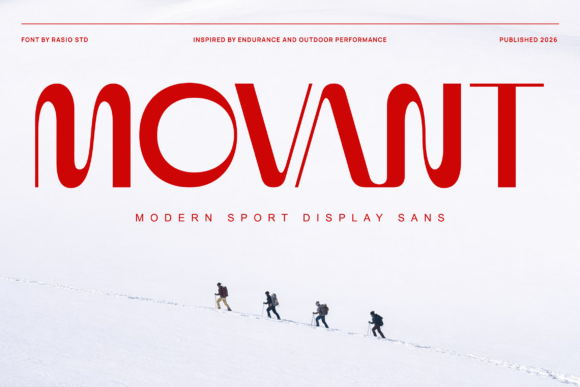
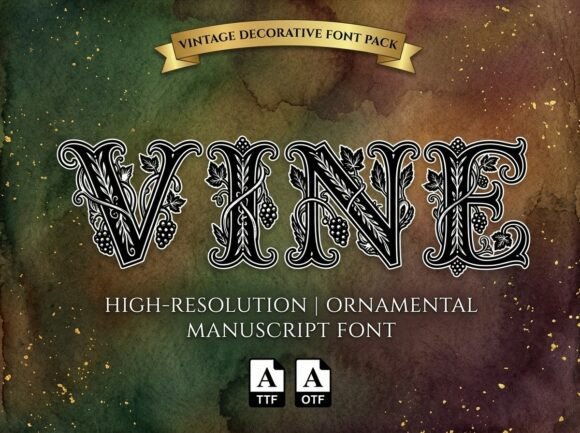
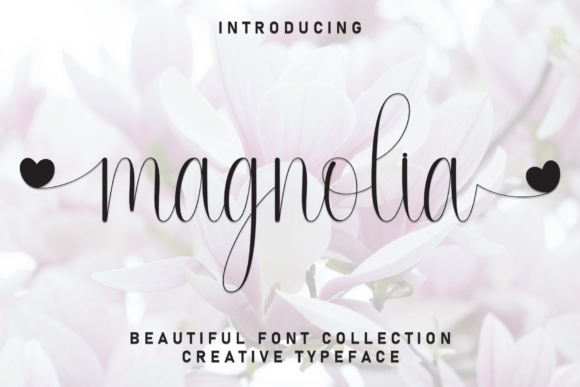
Testing font pairings is another crucial step when integrating this collage into a larger design system. Since the photo masks provide a heavy visual weight, pairing them with a clean sans-serif font often yields the best results for modern typography. A minimalist typeface balances the rustic texture of the frames, ensuring that any text overlays remain legible. Conversely, if the goal is a more romantic or nostalgic feel, a delicate script font can echo the vintage vibe of the distressed edges, though care must be taken to maintain contrast against busy backgrounds.
Practical Implementation and Workflow
Integrating PSD Photo Mask Collage 4 into your workflow is straightforward but benefits from a few strategic considerations. Start by opening the layered PSD file and reviewing the mask layers. Most design software allows you to clip your images directly onto these masks, which automatically trims them to the distressed shape. This process eliminates the need for manual masking, saving valuable time during the editing phase.
For those working with PNG files, the process involves using the mask as a clipping path or alpha channel. This method is ideal for web design or email newsletters where file size optimization is critical. The ability to swap out background images easily means you can create variations of the same layout quickly. For instance, a designer could keep the photo masks constant while changing the background texture to match different seasonal campaigns or holiday themes.
Commercial licensing should always be reviewed before deploying these assets in client work. Assuming the license permits commercial use, this template becomes a scalable resource for agencies handling multiple clients. Whether you are building a photo book for a family, creating a landing page for a wedding planner, or designing a lookbook for a fashion brand, the consistent application of this grid ensures a cohesive brand identity. The versatility of the 12 x 12 format also means you can easily resize or crop sections for different mediums, from large format posters to mobile-friendly stories.
Ultimately, the value of PSD Photo Mask Collage 4 lies in its ability to simplify the complex task of layout design. It removes the guesswork regarding spacing and alignment, allowing creators to focus on the emotional impact of their images. By combining a classic grid structure with modern textural effects, it provides a foundation that supports both artistic expression and professional standards. In an era where digital content is ubiquitous, having a tool that helps your visuals stand out with character and intention is an essential part of any designer's toolkit.